

iDenfy Identity Verification Flow
Below you can check a full regular flow.This flow can be customized and success results can be omitted as well. We recommend omitting them using the immediate redirect feature.
Getting Started
Obtain a Session Token
The SDK requires a session token to start initialization. See the session creation guide.Provide Permissions
AddNSCameraUsageDescription to your application’s Info.plist file:
Add the SDK Dependency
We recommend using Swift Package Manager, since it is quicker to set up and causes fewer issues.
- Swift Package Manager
- CocoaPods
- Manual
1. Add a packageYou can add it to your project with the following package repositories. You need to select only one SDK option.Base iDenfySDK dependency: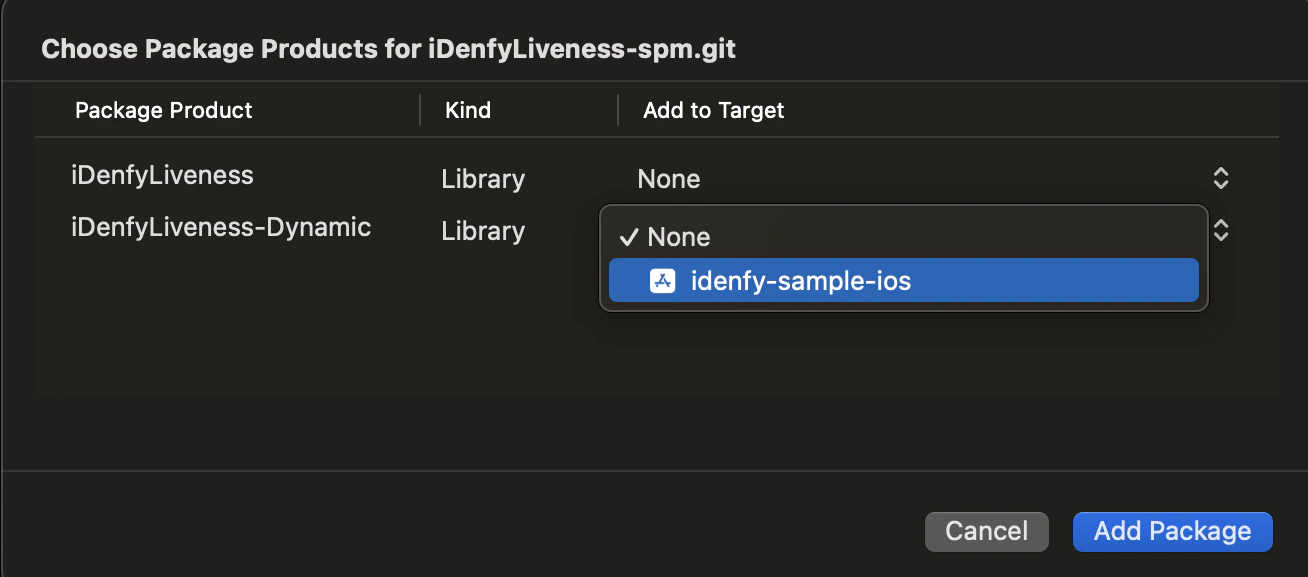

- iDenfySDK - https://github.com/idenfy/iDenfySDK-spm.git
- iDenfySDK/iDenfyLiveness - https://github.com/idenfy/iDenfyLiveness-spm.git
- iDenfySDK/iDenfyBlurGlareDetection - https://github.com/idenfy/iDenfyBlurGlareDetection-spm.git
- iDenfySDK/iDenfyNFCReading - https://github.com/idenfy/iDenfyNFCReading-spm.git
- iDenfySDK/iDenfyRecognition - https://github.com/idenfy/iDenfyRecognition-spm.git
To use the localized version of the liveness feature, add FaceTec.strings to your app module. Otherwise, the localization will not work.
iDenfy Assets can be found at the following URL.
Strings are located in ../IdenfyAssets/IdenfyStrings folder.
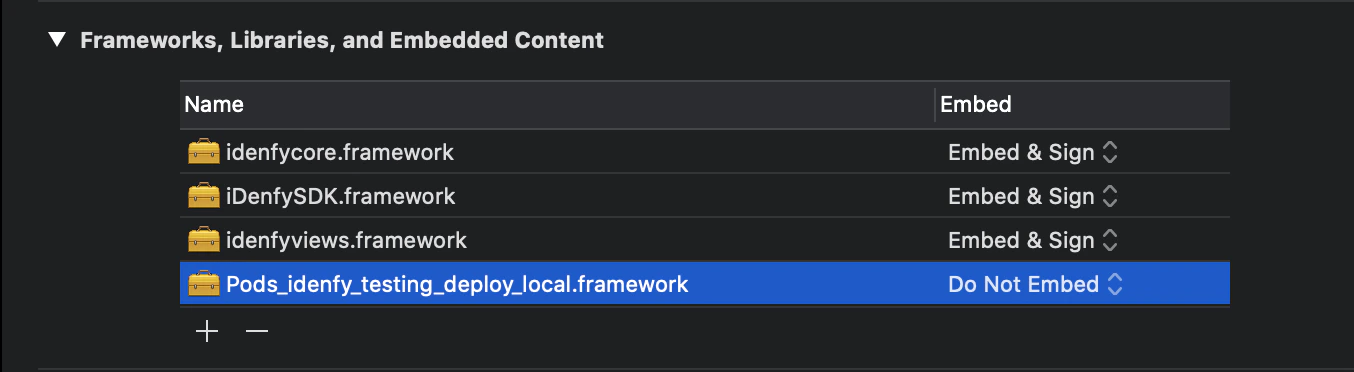
Troubleshooting Compile Errors
If your application uses Objective-C bridging headers you might face the following compile error: using bridging headers with module interfaces is unsupported. Command CompileSwiftSources failed with a nonzero exit code.
Configure the SDK
Provide the following configuration:- Swift
- Objective-C
Present the ViewController
UIKit:- Swift
- Objective-C
UIViewControllerRepresentable and present it in your view:
Full initialization code of iDenfySDK using SwiftUI is available in the sample application.
Handle Verification Callbacks
The SDK provides theidenfyIdentificationResult callback class.
With getIdenfyResultWithDismiss Method
Callback Status Reference
autoIdentificationStatus
manualIdentificationStatus
The manualIdentificationStatus always returns INACTIVE unless your system implemented manual verification flow (step 11). The manual verification screen looks like this: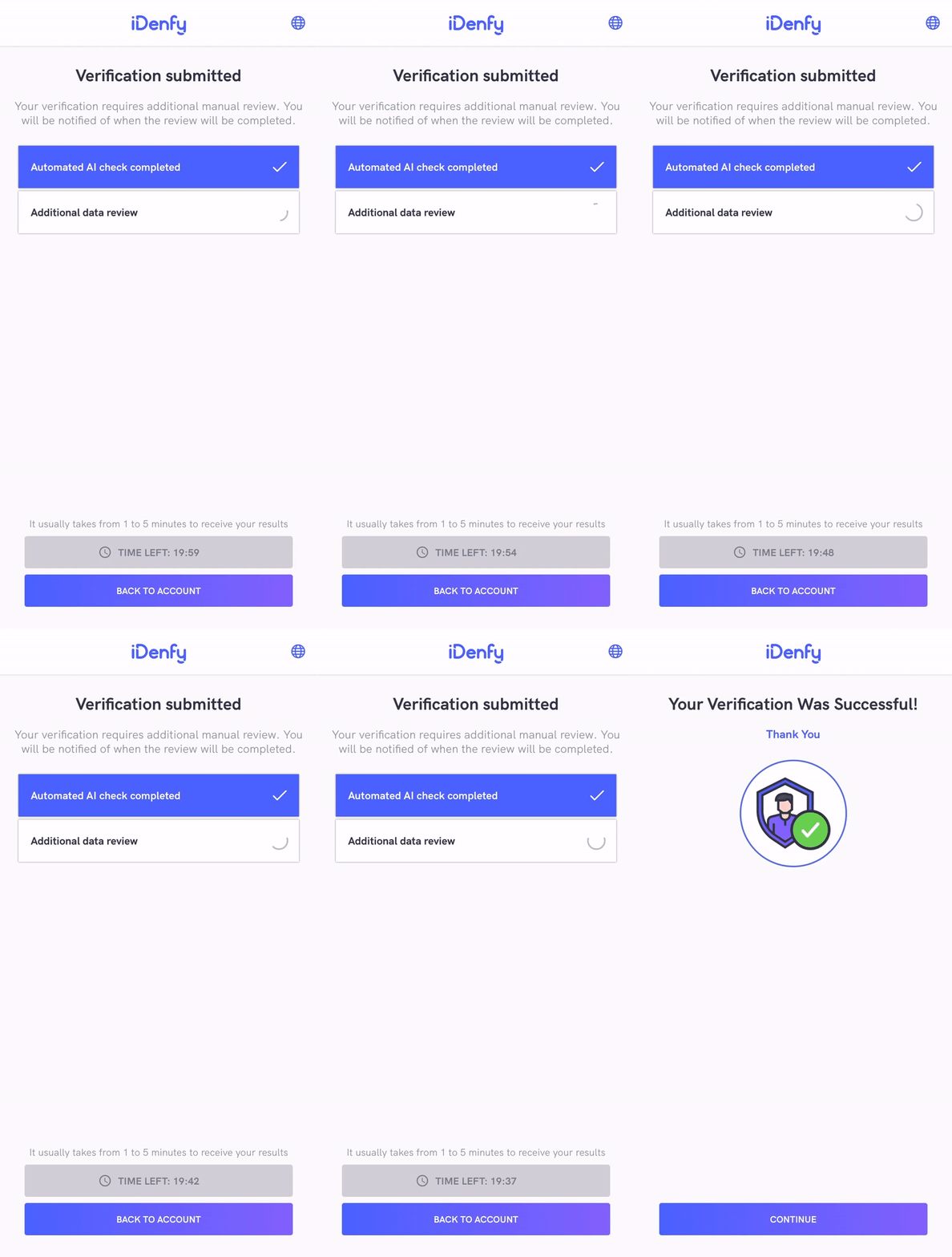
These SDK statuses are the same as iFrame integration statuses. The only difference is that the SDK returns INACTIVE if the manual verification screen was not opened during the verification session, instead of returning null as the iFrame does.
Also, the iFrame does not close automatically since it can deliver results without closing itself.
After the SDK finishes and closes itself, you will also receive a webhook callback to your backend system.It might be useful to completely ignore the SDK status and communicate between your app and your backend service about verification status.
Samples
Our UIKit sample and SwiftUI sample applications demonstrate the integration of the iDenfy SDK.FAQ
1. Is there a possibility to change the verification results view? Yes, you can achieve this by providing a custom waiting view controller. 2. How to change the position of the top titles? Any component and its properties can be changed by supplying your implementation of UIView. 3. How do I report an issue within the SDK? Please report any issue via the Jira customer portal. Attach the SDK and Xcode versions you are using, and describe the problem in as much detail as possible. 4. When I override liveness fonts, the size does not change. Why is that? Liveness font size is dynamically determined according to the screen resolution, and it cannot be manually changed. 5. What if Apple Review team denies our application because of iDenfy SDK?- Check the iDenfy privacy policy for possible answers.
- If Apple Review team asks for a demo of NFC functionality, provide the following video.