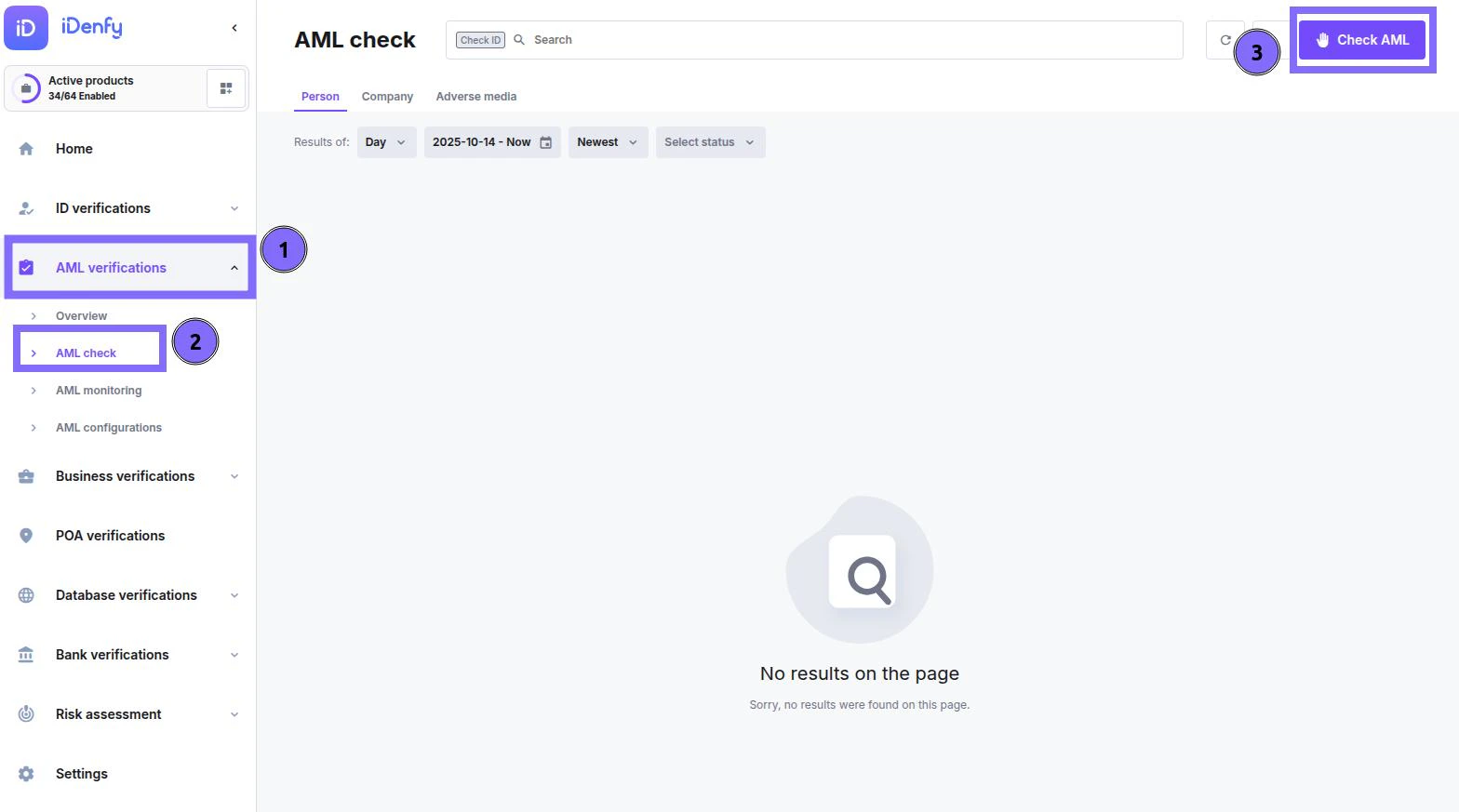
Dashboard Navigation for AML Check
- In the dashboard, navigate to the AML verifications section
- Select AML check
- In the top right corner, click Check AML
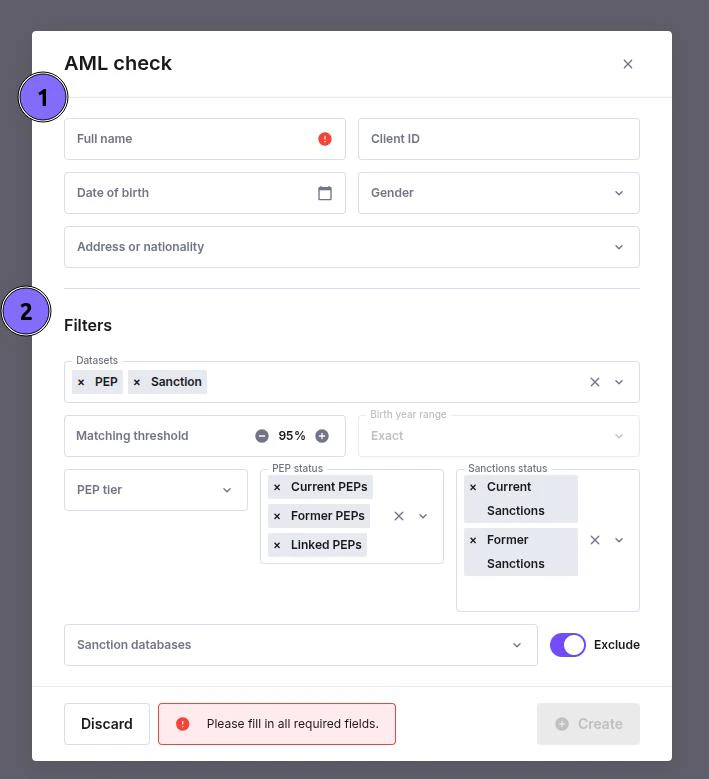
AML Check — Quick Guide
Use this form to create a new AML (Anti-Money Laundering) check for a person or company. It screens your subject against selected datasets such as Sanctions, PEPs, and others.1. Enter Subject Details
Fill in the identifying information for the person or company you want to screen.- Full name — required.
- Client ID — optional internal reference.
- Date of birth / Gender — helps narrow results.
- Address or nationality — adds context and reduces false matches.
2. Apply Filters
Fine-tune your search by selecting which datasets and parameters to use.- Datasets — select what to check (e.g., PEP, Sanction, Adverse Media).
- Matching threshold — sets how closely the results must match.
- PEP status — include current, former, or linked PEPs.
- Sanctions status — include current or former sanctions.
- Sanction databases — specify or exclude certain lists if needed.
3. Create or Discard
Once all required information is filled in:- Click Create to start the AML check.
- Click Discard to cancel.
Check Results
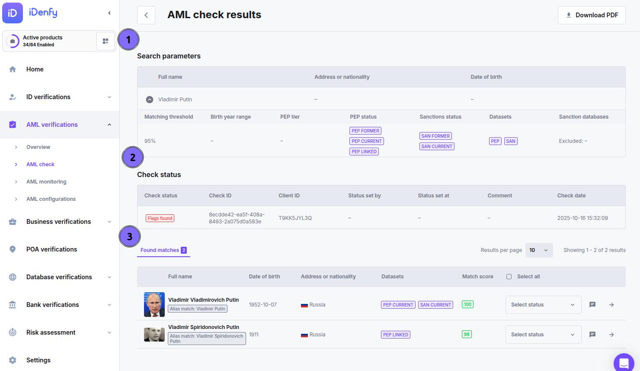
Search Parameters
Displays the details used in the check — your reference for what was searched. The top row shows the subject identity:- Full name — the entered name of the person or company
- Address or nationality — country or region used in the search
- Date of birth — full or partial, if provided
Check Status
Found Matches
When matches exist, each row in the table is a potential profile. Review each one — small differences such as birth year or nationality often determine whether a match is genuine or false.
Click any matched row to open its full profile — see AML Profiles for a full description of all tabs and fields.
Additional Functions Inside Check
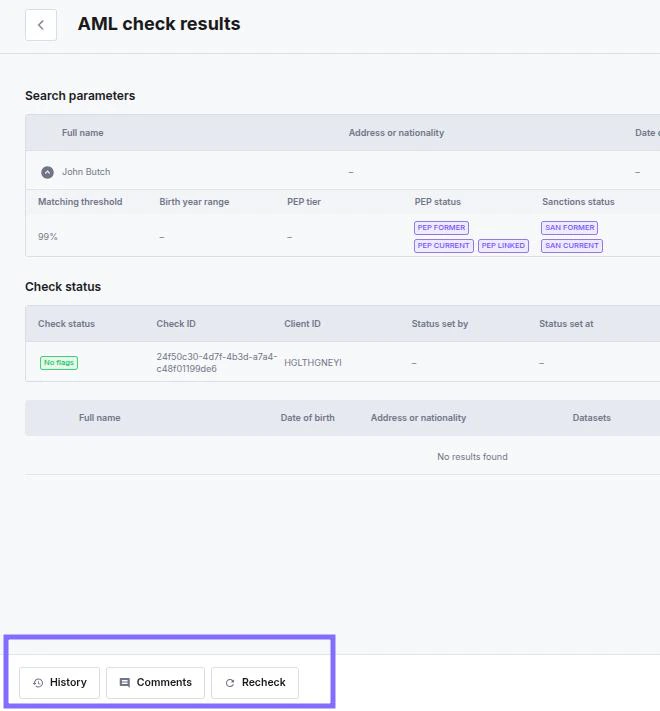
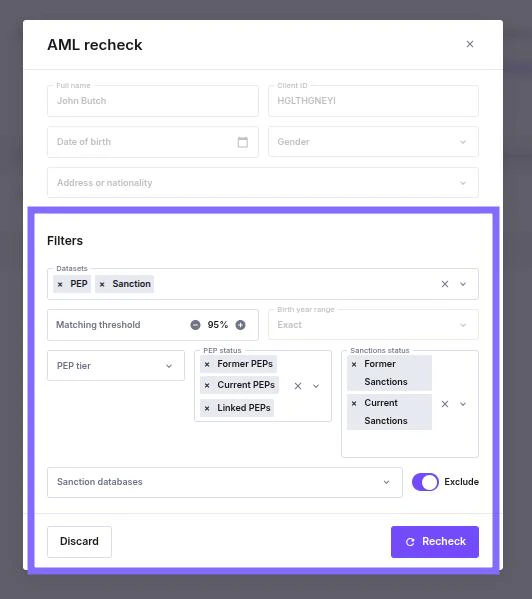
- History — previous screening runs and rechecks for this check
- Comments — internal notes left by managers
- Recheck — runs a new screening with adjusted filters; each recheck consumes one credit
- Add to monitoring — enrols the subject in ongoing daily screening; opens the monitoring creation pop-up pre-filled with the subject’s details
- Save — saves any pending status changes on matched profiles